Getting Edge Insights
You get Edge Insights from the CanEduDev store. During the beta, the license is free.
Ordering the license creates an account on canedudev.com. The account gives you the download links and your license key. You need the key to activate Edge Insights after you install it.
Order the beta license
-
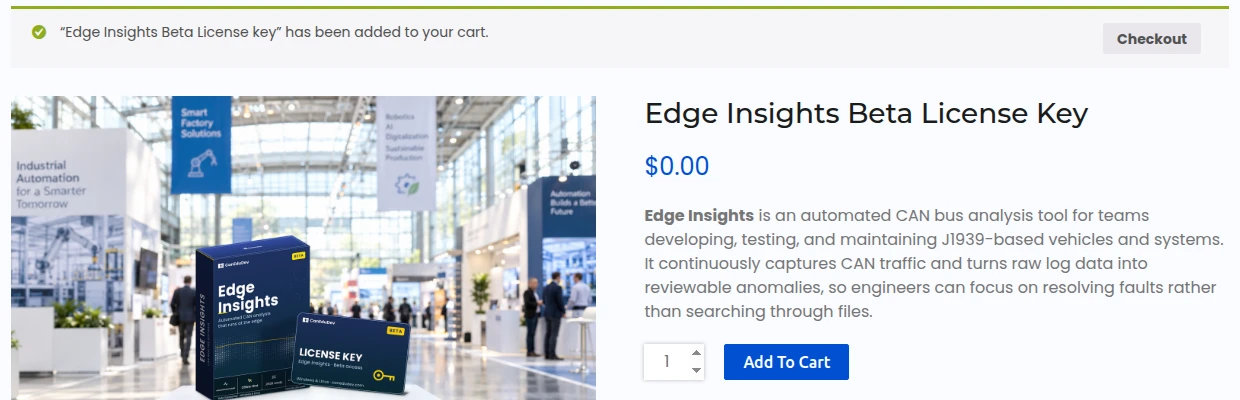
Open the Edge Insights Beta License key product page and click Add to cart. Then click Checkout in the message at the top of the page.
-
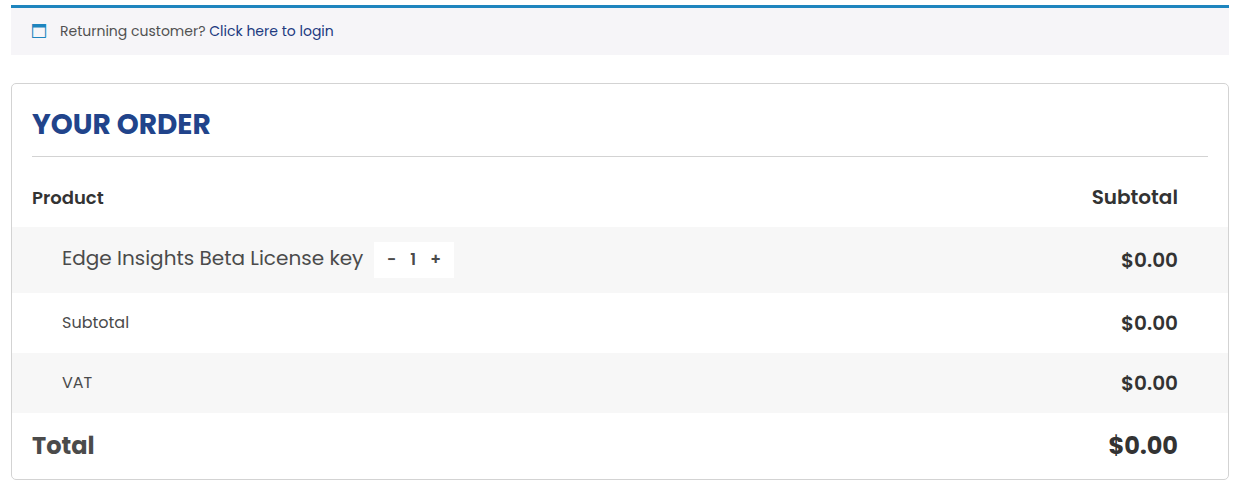
Check that the order total is $0.00. If you already have an account on canedudev.com, click Click here to login at the top of the page first.
-
Under Billing details, choose Company or Private individual, and fill in the required fields. Use an email address you can read. The store sends the download link to this address.
-
Click Place order.
The store creates an account for your email address and sends you an email with the download link.
Download the software
The download link in the email opens the Software Download page of your account. You can also open it at any time: log in to canedudev.com and go to Software Download. During the beta, the page shows the latest version only.
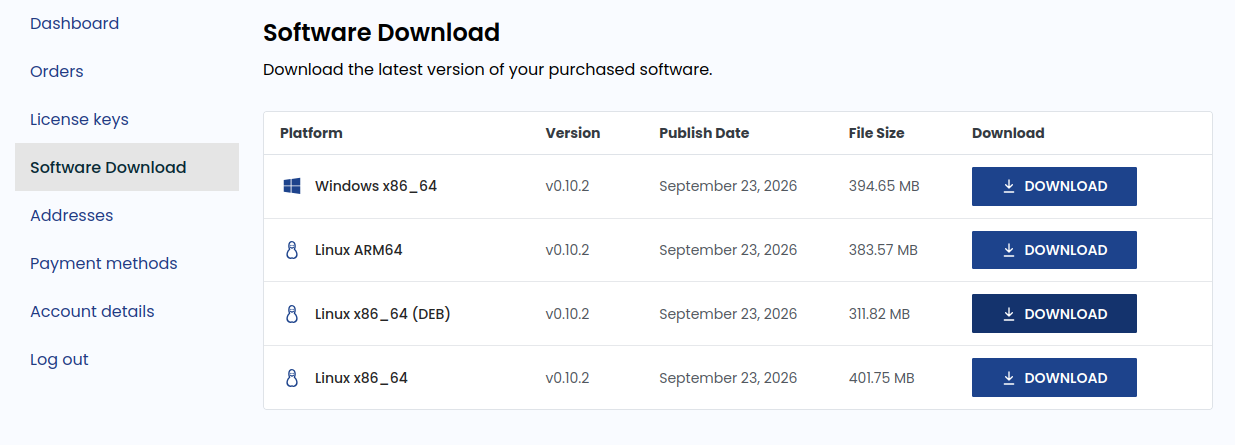
Click Download on the row for your device, then continue with its install page:
| Device | Row | Install page |
|---|---|---|
| Windows PC | Windows x86_64 | Installing on Windows |
| Linux desktop PC | Linux x86_64 (DEB) | Installing on a Linux desktop |
| Embedded Linux device, arm64 | Linux ARM64 | Installing on an embedded device |
| Embedded Linux device, x86_64 | Linux x86_64 | Installing on an embedded device |
Find your license key
Log in to canedudev.com and go to License keys. Your Edge Insights license key is listed under Product license key. Activations shows how many devices use the key.

You enter the key in the portal after you install Edge Insights. See Activate the license.
Beta license terms
- The beta license is free.
- It is valid until the end of the beta, in January 2027.
- Each activation is tied to one device. One key can activate several devices, up to the limit shown under Activations.
- To free an activation, deactivate the key on that device. See Licensing. You can also deactivate it on the License keys page of your account, e.g. when you no longer have access to the device.
Newer versions
Log in to Software Download and download the new version. Then install it as described on the install page for your platform. An upgrade keeps your license activated.
No email received
- Check your spam folder.
- Log in to canedudev.com. The download is on the Software Download page, and your license key is on the License keys page. If you do not know your password, use Lost your password? on the login page.
- If you still cannot find them, email support@canedudev.com.